

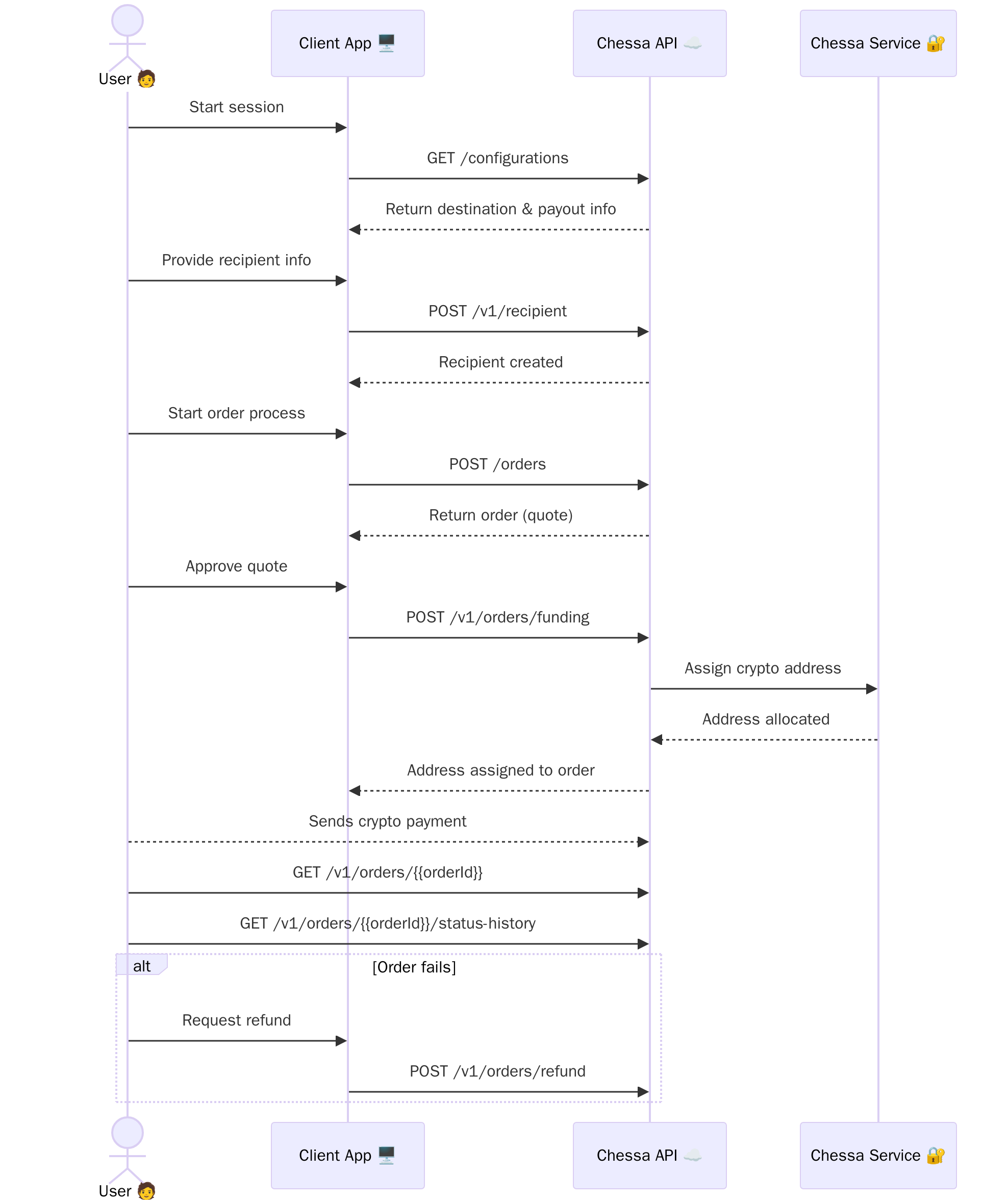
1. Get Configuration Information
Before creating an order, callGET /v1/configurations to retrieve essential information about:
- Supported destination countries
- Available payout methods
- Supported banks for each country
- Required fields for different payout types
- Currency information
2. Create a Recipient
Before creating an order, you need to create a recipient record by callingPOST /v1/recipient. The recipient contains all the payout details including:
- Personal information (name, contact details)
- Bank account information or mobile money details
- Country-specific required fields (based on the configuration data)
recipientId in the response, which you’ll need to reference when creating an order.
3. Create an Order (Quote)
Make aPOST /v1/orders request to initiate an order, including the recipientId from the previous step.
The response will include a created order object, which acts as a quote for the transaction. This quote includes pricing and relevant metadata.
4. Prepare Order for Funding
If the quote looks good and the user is ready to pay, callPOST /v1/orders/funding.
This assigns a unique crypto address to the order.
5. Pay and Monitor Order
The user sends payment to the assigned crypto address. You can pollGET /v1/orders/{orderId} to retrieve full order details, or GET /v1/orders/{orderId}/status-history for a detailed status view.
6. Request a Refund (if needed)
If the order fails and its status becomes ‘Failed’, the user can submit a refund request by callingPOST /v1/orders/refund.
This endpoint accepts a refund crypto address where the funds should be returned.
Ready to Get Started?
Explore the API Reference
Check out our complete API reference to start implementing the order lifecycle
in your application.