> ## Documentation Index
> Fetch the complete documentation index at: https://docs.chessa.ai/llms.txt
> Use this file to discover all available pages before exploring further.
# Authentication
> How to obtain and use API credentials for the Chessa API
# Getting API Credentials
To use the Chessa API, you'll need to obtain API credentials. This guide will walk you through the process of getting your API keys.
 ## Step 1: Sign Up
Create a Chessa account by visiting [chessa.ai](https://chessa.ai) and completing the registration process.
## Step 2: Complete KYC
Before you can access API credentials, you'll need to complete the Know Your Customer (KYC) verification process:
1. Navigate to the KYC section in your Chessa dashboard
2. Provide the required identification documents
3. Wait for verification approval (typically within 24-48 hours)
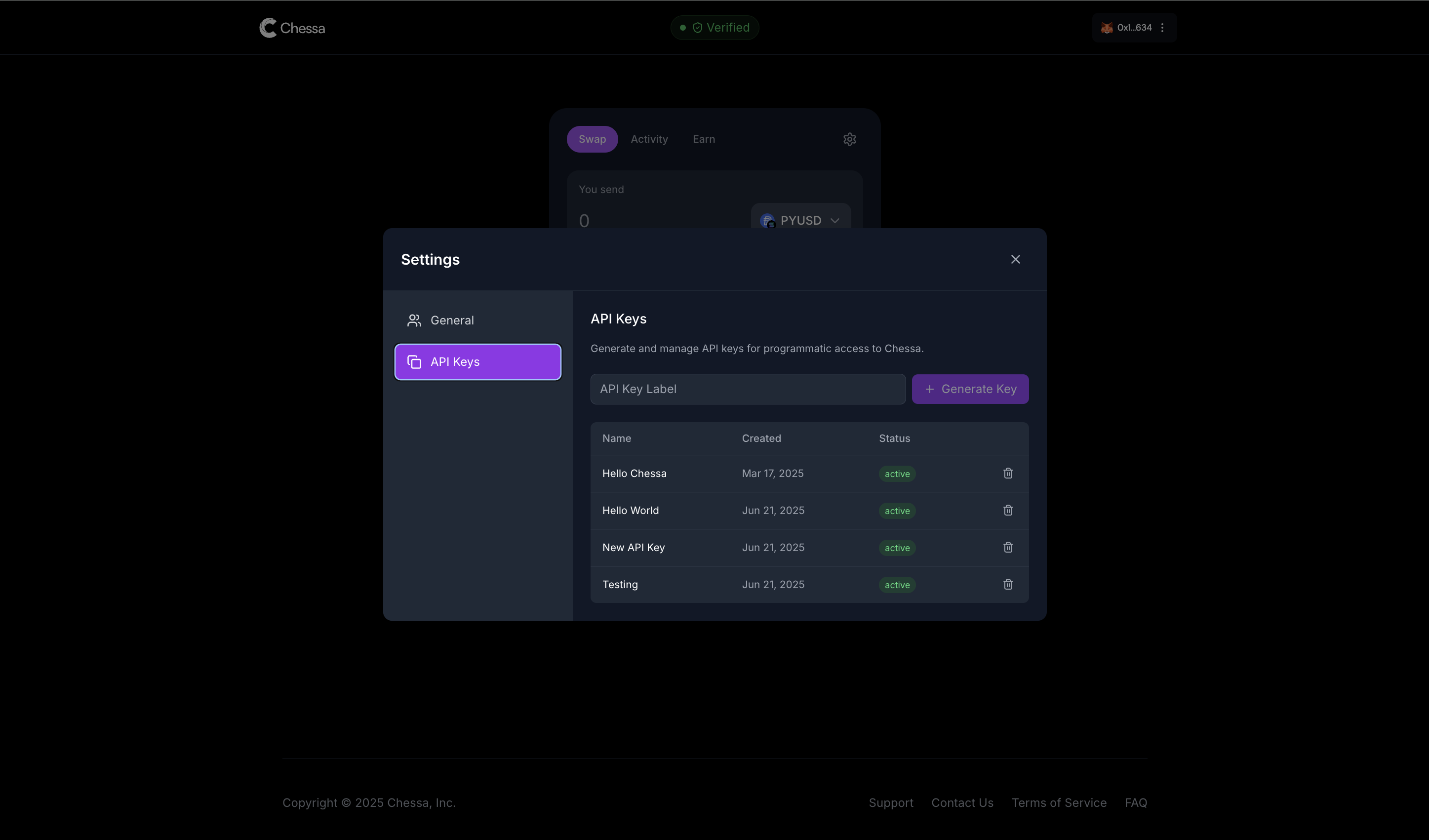
## Step 3: Create API Keys
Once your account is verified, you can create your API credentials:
1. Log in to your Chessa dashboard
2. Navigate to **Settings**
3. Select the **API** tab
4. Click **Create API Key**
5. Name your API key
6. Copy and securely store your Client ID and Client Secret
**Security Notice**: Your Client Secret will only be shown once. Make sure to
copy and store it securely. If you lose your Client Secret, you'll need to
generate a new one.
## Using Your API Credentials
Once you have your credentials, include them in the headers of all API requests:
```bash theme={null}
curl -X GET 'https://api.chessa.ai/v1/users' \
-H 'x-client-id: YOUR_CLIENT_ID' \
-H 'x-client-secret: YOUR_CLIENT_SECRET'
```
Explore the complete API reference to start building with Chessa.
## Step 1: Sign Up
Create a Chessa account by visiting [chessa.ai](https://chessa.ai) and completing the registration process.
## Step 2: Complete KYC
Before you can access API credentials, you'll need to complete the Know Your Customer (KYC) verification process:
1. Navigate to the KYC section in your Chessa dashboard
2. Provide the required identification documents
3. Wait for verification approval (typically within 24-48 hours)
## Step 3: Create API Keys
Once your account is verified, you can create your API credentials:
1. Log in to your Chessa dashboard
2. Navigate to **Settings**
3. Select the **API** tab
4. Click **Create API Key**
5. Name your API key
6. Copy and securely store your Client ID and Client Secret
**Security Notice**: Your Client Secret will only be shown once. Make sure to
copy and store it securely. If you lose your Client Secret, you'll need to
generate a new one.
## Using Your API Credentials
Once you have your credentials, include them in the headers of all API requests:
```bash theme={null}
curl -X GET 'https://api.chessa.ai/v1/users' \
-H 'x-client-id: YOUR_CLIENT_ID' \
-H 'x-client-secret: YOUR_CLIENT_SECRET'
```
Explore the complete API reference to start building with Chessa.